Ask in plain English
Who's free next month? What does the quarter's revenue look like? Kavaro answers from your live plan and shows how it worked it out.
Ask who's free, move people between projects in plain English, and see the margin before you commit. Nothing changes until you approve it.
No card needed · 30-day free trial · £15 per user per month
Everything you see here, you can also ask from Claude, ChatGPT or Slack. See how
 Claude
 ChatGPT
 Slack
Slack Jira
Jira Trello




Who's free next month? What does the quarter's revenue look like? Kavaro answers from your live plan and shows how it worked it out.
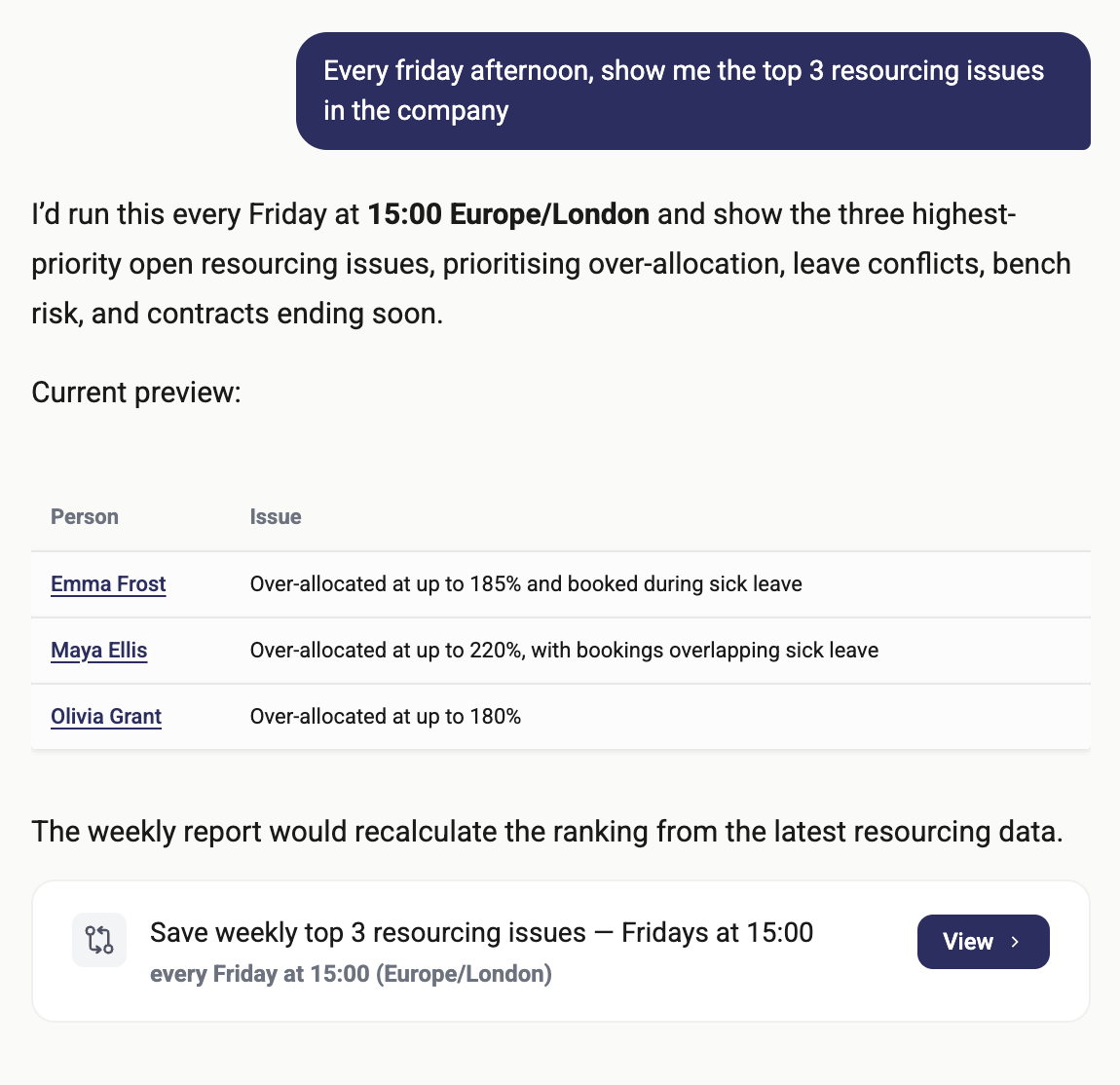
Agents check bookings, timesheets, hiring gaps and finance every week, then flag what needs you.
Drop in a CV and Kavaro drafts the profile: role, skills, industries and cost rate.
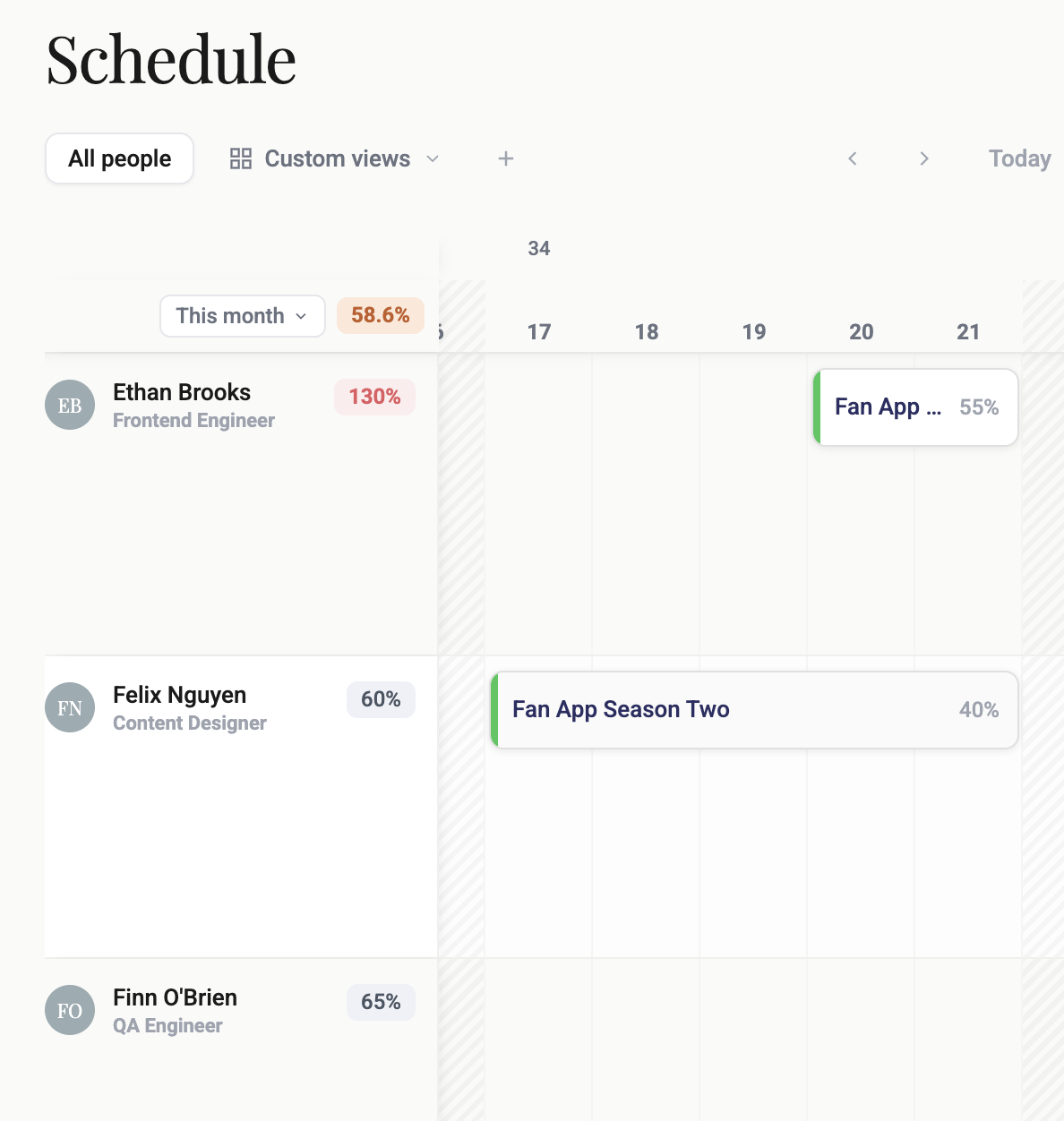
Every person, every booking and their utilisation in one view. Change a booking in place, or just ask.
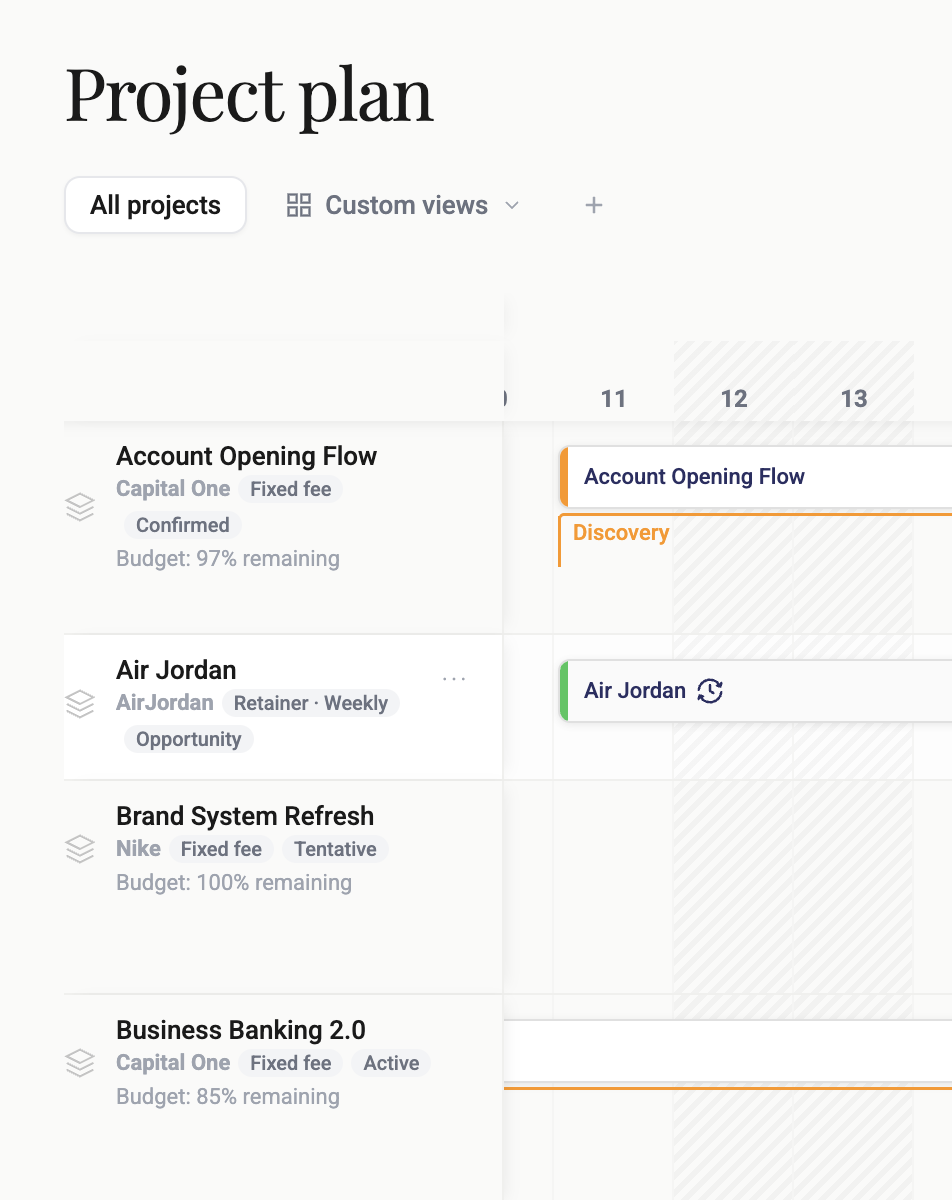
Phases, team and budget remaining on one timeline. Drop in a SoW and Kavaro drafts the staffed plan.
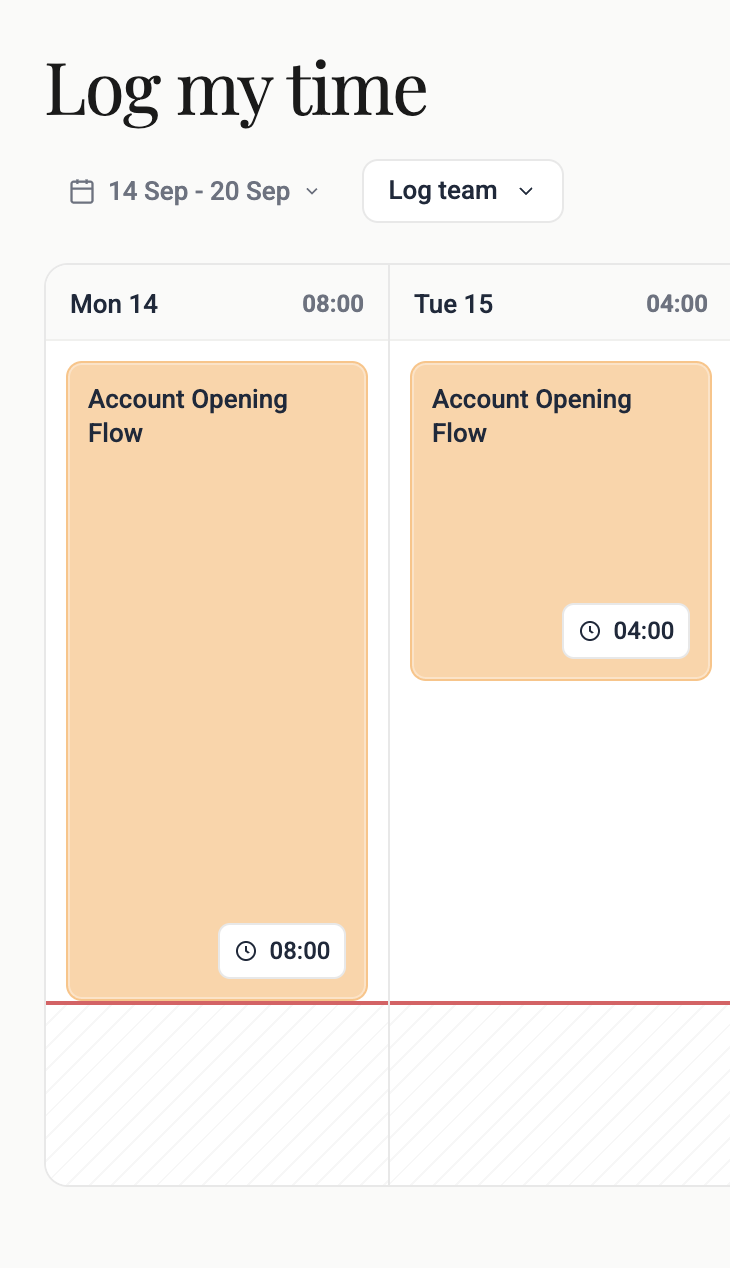
Booked hours show up ready to log, so actuals feed utilisation and margin without the chasing.
See who is booked, where utilisation is already too high, and how each allocation affects the live plan — before you staff the next job.
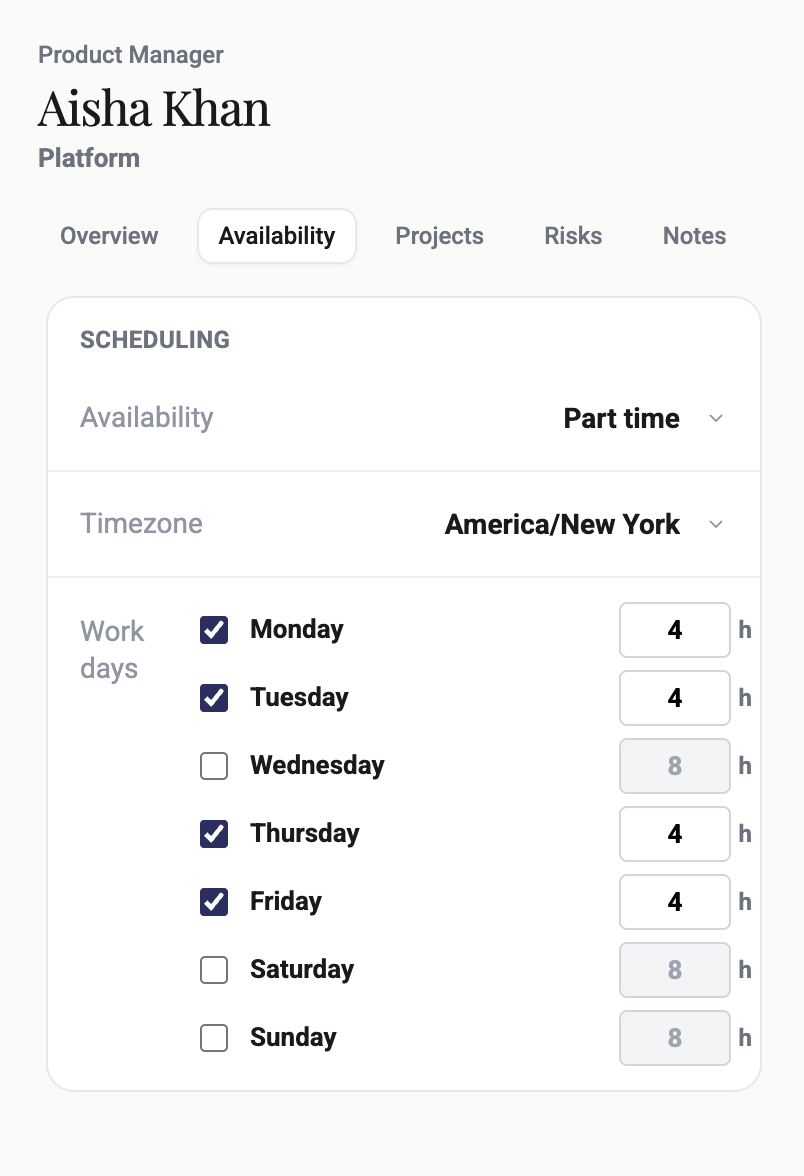
Set real availability, hours and time zones so forecasts match how people actually work — and you can take new work without overloading the team.
Keep the project plan connected to who is allocated, so delivery, capacity and margin stay on the same numbers.
Log time against scheduled work so actuals feed utilisation and margin — without rebuilding a separate timesheet ritual.
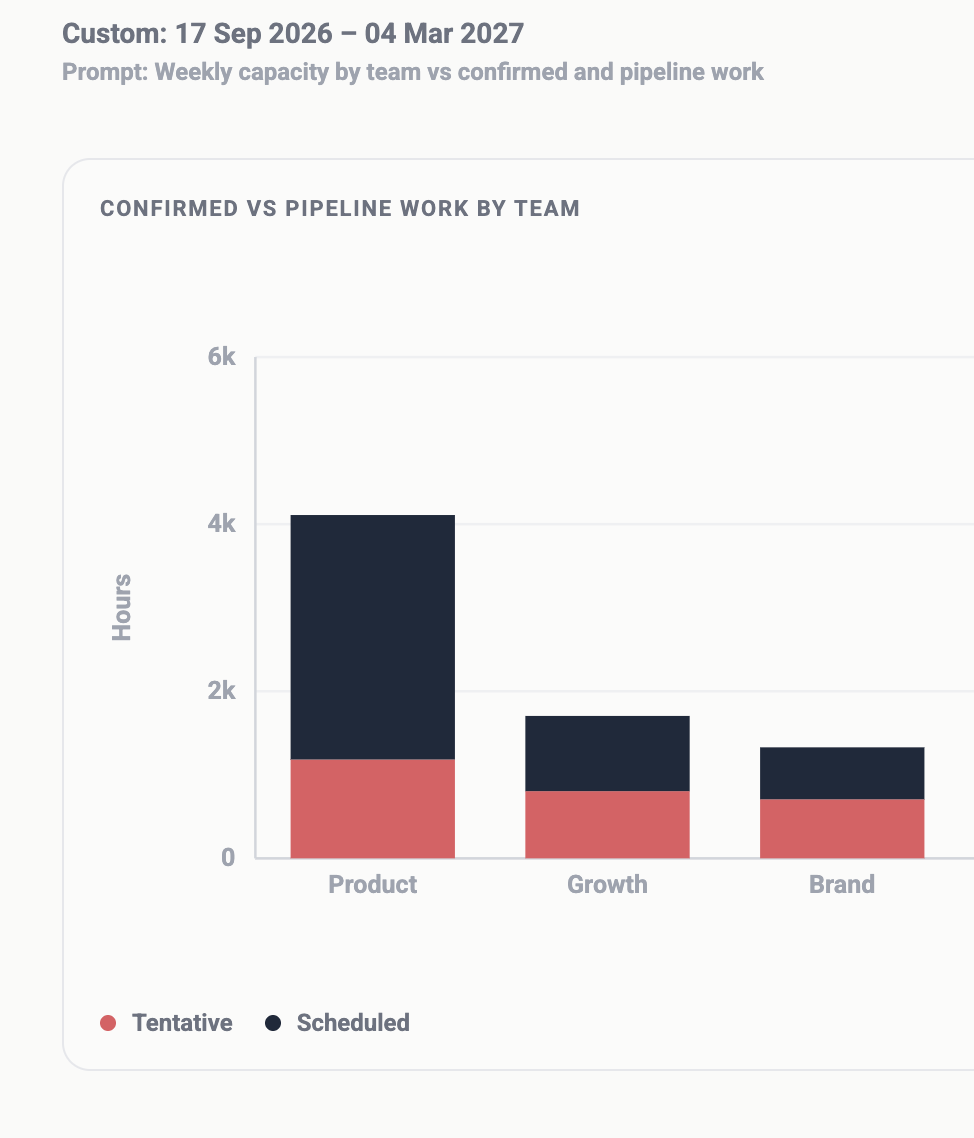
Describe the view you need — weekly capacity, over-utilised people, confirmed vs pipeline — and generate it from the live plan.
Ask who can take the work without overloading anyone or dropping margin, then approve the change before it happens.
 ChatGPT
finds who's free from 3 November
ChatGPT
finds who's free from 3 November
get_capacity
Claude
finds who has worked in financial services
search
Slack
tells you what Aisha is working on this week
get_person
Claude
checks whose timesheet is missing
get_timesheets
ChatGPT
moves HiFi Onboarding out two weeks, once you say yes
AllowDecline
Claude and ChatGPT connect with your Kavaro sign-in, and Slack users talk to KavaroBot. They see only what you can see, and nothing changes until you approve it.
Connect Kavaro to the tools your team already uses.

More coming soon...
One plan, priced per user. Start with a 30-day free trial.
Every plan includes

Sue, Managing Director
There is a lot to like. Seeing the project budget, what has been booked and what is on the future schedule is really useful — including budget versus actual, at an individual level.
The automation, and being able to ask it a question, is definitely better than what we have today.

Anni, Resource Manager
The thing I really find great is uploading bios. A new joiner, get it in immediately, and you have it when someone asks for the right experience.
It's really easy. I need someone who has done this work — that is the staffing question I get, and now it is in the chat.

Tim, Resource Manager
This is the view a resource manager uses. People see exactly what they are booked on, so they know what they are supposed to be doing.
It's clean. Company-wide, project and individual views — that's the hard bit, and this gets it.

Pooja, Head of Design
This looks and feels great. Kantata did the job, but it never felt built for designers.
This is a real use case for mid-market and design agencies. It fits perfectly.

Shaun, Finance Director
The agent is far superior. You write in a utilisation change — 25% to 50% — and you know it has worked.
Time, cost and income against the project, every week. It's really powerful.

Fergus, Operations Consultant
It's really good. It's really smart. It's really easy to use — a lot of these tools are impenetrable. Menus everywhere. You have to learn them rather than just find your way around.
Resourcing replaces half a spreadsheet. People spend hours playing scenarios. This replaces that work.
Kavaro is resource planning software for agencies. It shows live capacity, who can take the work, and the margin impact of staffing decisions — then turns that into an approved plan, not another task board.
Kavaro shows projected margin before you commit people, and flags utilisation, overloads and drift while you can still change the plan. You see the commercial impact of staffing, not just who is busy.
Those tools give you a resourcing view you still have to interpret. Kavaro answers the question — who is free, what it does to utilisation and margin — and the resource manager approves the action.
They manage tasks. Kavaro plans capacity and margin: who is available, who has the right skills, and whether you can take the work without overloading the team or dropping profit.
No. The agent recommends; your resource team approves. Important changes do not go live until someone with permission signs them off.
COOs and operations directors who need capacity and control; resource managers who need faster answers without losing the loop; founders who need to protect project margin.
People, availability, skills, allocations, and rate or cost data. Start with a live plan or sample data and ask a real resourcing question in the first session.
Yes. Keep your CRM, project tool and finance stack. Kavaro connects alongside them — Slack, Jira, Trello, Zapier and more — rather than forcing a rip-and-replace.
You can have a live capacity view in the first session. You do not need a months-long implementation to ask who can take work next month.
Yes. Try Kavaro free for 30 days. Book a demo if you want to see it against your own plan first.
Set up from your CVs and SoWs, then ask your first resourcing question in the first session.