Utilisation rate = hours used ÷ hours available. For staffing, that is usually assigned or planned hours divided by available hours. For commercial health, it is billable hours divided by available hours. Available hours are not “40 × headcount”. They are the hours that person could actually work in the period after leave, public holidays and contracted days off.
| Measure | Formula | What it tells you |
|---|---|---|
| Resource utilisation | Assigned / planned hours ÷ available hours | How full the calendar is |
| Billable utilisation (chargeability) | Billable hours ÷ available hours | How much available time is client-chargeable |
| Realisation | Billed hours or billed revenue ÷ billable hours (or intended fees) | Whether you actually invoice the work you did |
Use the free utilisation calculator if you want the arithmetic on a team grid. The rest of this guide is the definitions, a worked example, and the mistakes that make a tidy percentage lie.
A worked example: one person overloaded, one on the bench
Take a week where two people both have 40 available hours — no leave, no bank holiday.
Alex is booked for 48 hours (two overlapping projects) and 36 of those hours are billable. Resource utilisation is 48 ÷ 40 = 120%. Billable utilisation is 36 ÷ 40 = 90%. Alex is over on load even though the billable number still looks “ambitious but fine”.
Sam is booked for 16 hours, of which 8 are billable. Resource utilisation is 16 ÷ 40 = 40%. Billable utilisation is 8 ÷ 40 = 20%. Sam is on the bench. Average the two people and the team looks respectable: 64 assigned hours ÷ 80 available = 80% resource utilisation, and 44 billable ÷ 80 = 55% billable utilisation. The average hides both the crunch and the idle seat.
That is why utilisation is only useful per person and per week (or per day), not as a single monthly blob. A campaign launch week and a quiet week can net to a pretty 75% and still burn one designer out.
Resource utilisation vs billable utilisation vs realisation
Resource utilisation answers “who is already full?” Internal work, pitches, training and paid delivery all count, because they all occupy the same calendar. If you only count billable hours here, you will double-book people who are already in a pitch or a rebrand workshop.
Billable utilisation — often called chargeability — answers “how much of available time is client-billable?” Non-billable hours are not a rounding error. They are sales, account management, recruitment, admin, and the work you chose not to charge. A consultant at 95% resource utilisation and 50% billable utilisation is busy, not profitable.
Realisation is a step further: of the hours you meant to bill, how many actually land on an invoice (or how much revenue you collect versus the intended fee). Write-offs, discounts and “we’ll eat it” hours can make billable utilisation look healthy while cash does not. Keep realisation in the commercial conversation; do not substitute it for capacity.
Billable vs non-billable is therefore a classification of the hours in the numerator, not a different calendar. The denominator stays available hours. If you change the denominator between the two measures, you cannot compare them.
What is a good utilisation rate?
There is no universal target. There are planning ranges. For delivery roles in agencies and professional services, a common band is 70–85%. That leaves room for leave, sickness, context-switching, and the work that never makes the timesheet. The calculator flags below 70% as under, 70–85% as on target, and above 85% as over for that delivery-role range.
Those flags are a planning aid. They are not Kavaro settings, and they are not a scorecard for every job:
- Specialists and production often sit toward the top of the band in a busy month — and that is a warning, not a badge.
- Account, client service and producers carry more non-billable coordination, so billable utilisation will sit lower even when the week is full.
- Leads, partners and founders should not be planned at delivery utilisation. Sales, hiring and reviews are the job.
- 100% is not healthy. It means no slack for a client moving a workshop, a person going off sick, or the next pitch.
Set ranges by role, review them when the mix of retainers and projects changes, and never treat a single percentage as the hiring decision on its own.
Common mistakes
Wrong denominator. Using 40 hours for a four-day contractor, or ignoring that someone works 30 hours, inflates utilisation. The person looks over when they are correctly fully booked — or under when they still have a day spare.
Ignoring leave. Holiday, public holidays and planned time off reduce available hours. If leave stays in the denominator, utilisation drops on paper while the remaining days are overloaded. Capacity has to use real availability and the work schedule, not a standard week.
Treating 100% as the goal. Full calendars have no recovery time. Quality, margin and retention all suffer before the percentage looks like a crisis.
Mixing the two utilisations. Reporting “utilisation” without saying resource or billable lets a fully booked internal week pass as commercial success.
Averaging away the crunch. A month at 78% can hide a 120% launch week. Look at the people × calendar view, not only the period total.
Forgetting tentative work. Pipeline hours that are not marked as tentative get treated as confirmed capacity. When the other job lands, both are late.
Run the numbers on your team
Put available, assigned and optional billable hours into the utilisation calculator. It runs in the browser. It does not import or sync those hours into Kavaro. Use it for a snapshot, then look at whether your live plan would tell the same story.
What Kavaro reports from live bookings and timesheets
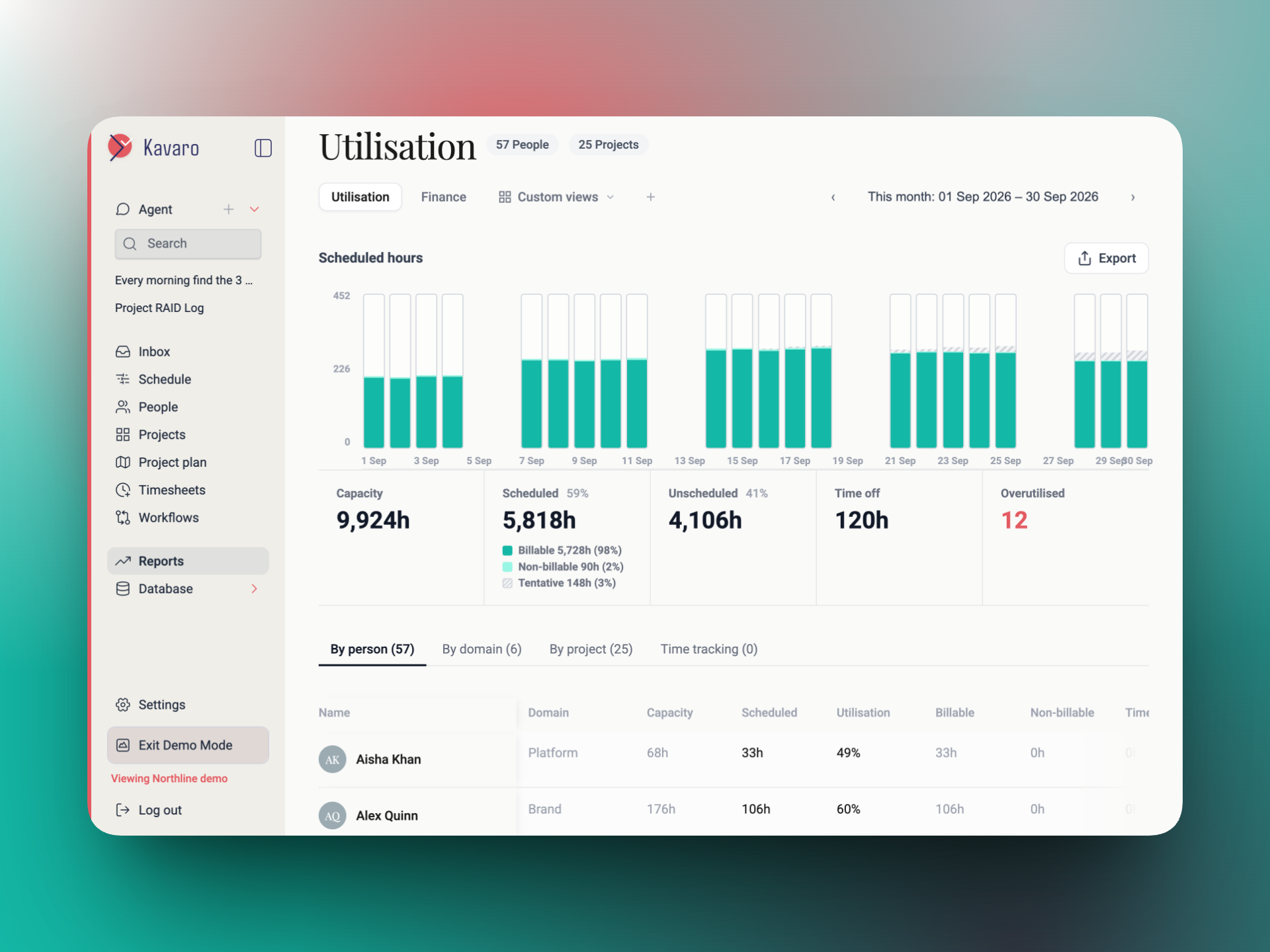
Kavaro is resource planning software, not a spreadsheet with this formula pasted in. People sit on a schedule with bookings as a percentage or hours, including tentative bars. Capacity uses real availability and the work schedule. Chat can ask live resourcing questions and propose staffing; a person still confirms or rejects — nothing auto-executes.
Timesheets log actuals against booking suggestions. Reports then show utilisation from those bookings and from timesheets, with finance views when you have permission. Insights flag over- and under-utilisation, leave clashes, open roles and roll-off. That is the live version of the arithmetic in this article: the same questions, answered from the plan you are already running.
Try Kavaro free for 30 days, or book a demo if you want to walk through a real team.